



What is Store Credit?
Store Credit is money you top up in advance to your Hungwar account. When you shop, you pay with this balance in one click, without a new bank transfer for every order.
Top up rules
| Who can top up | Customers whose account country is Viet Nam |
| Amount per top up | At least 200,000 VND, in steps of 10,000 VND, up to 100,000,000 VND |
| When the credit is added | Once Hungwar confirms your payment, usually within 5–15 minutes |
| Refunds | Store credit top ups are non-refundable |
A. Top up your account
Log in and open Top up credit
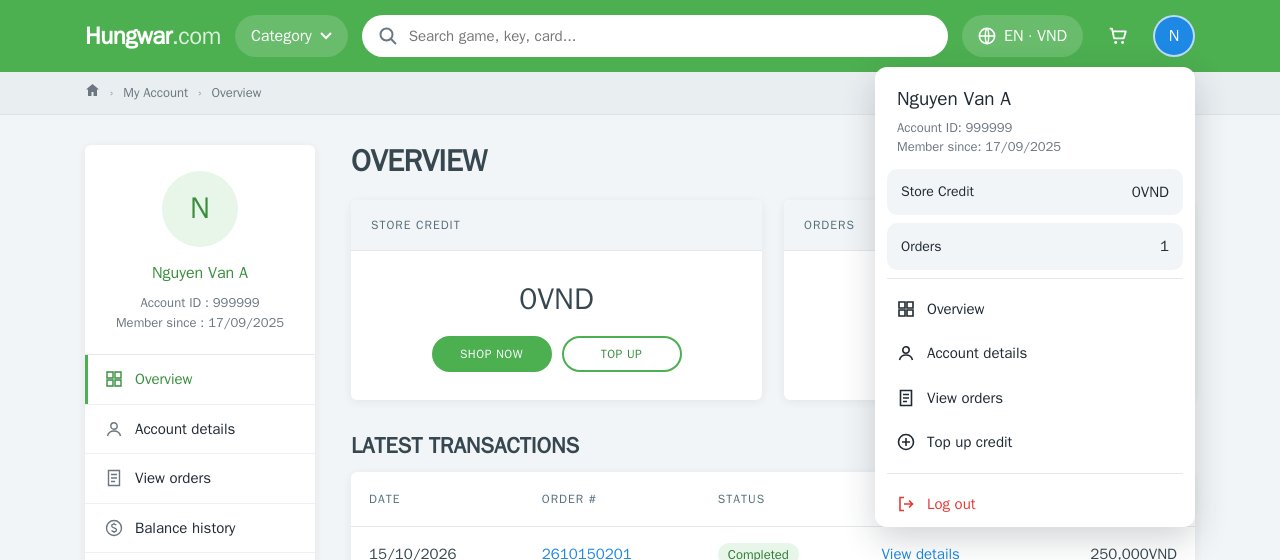
Log in to your Hungwar account, click the account icon at the top right and choose Top up credit. You can also go to My Account › Overview and click Top up in the account balance box.
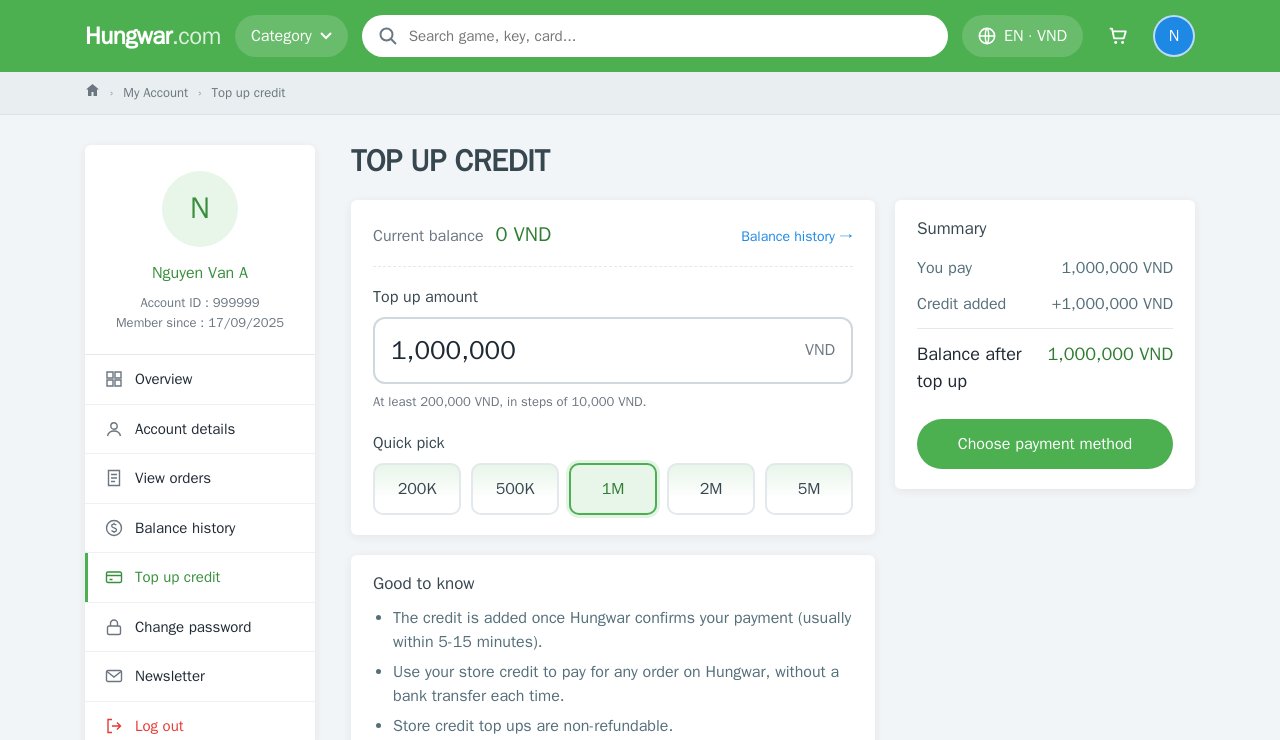
Enter the amount
Type the amount in VND or click a Quick pick: 200K, 500K, 1M, 2M, 5M. The Summary box shows what you pay, the credit added and your balance after the top up. Click Choose payment method to continue.
Choose a payment method
Pick a bank (VietinBank, BIDV, Agribank, Techcombank, TPBank, MB, PVcomBank) or an e-wallet (ZaloPay, MoMo, ViettelPay, ShopeePay…) and click Continue.
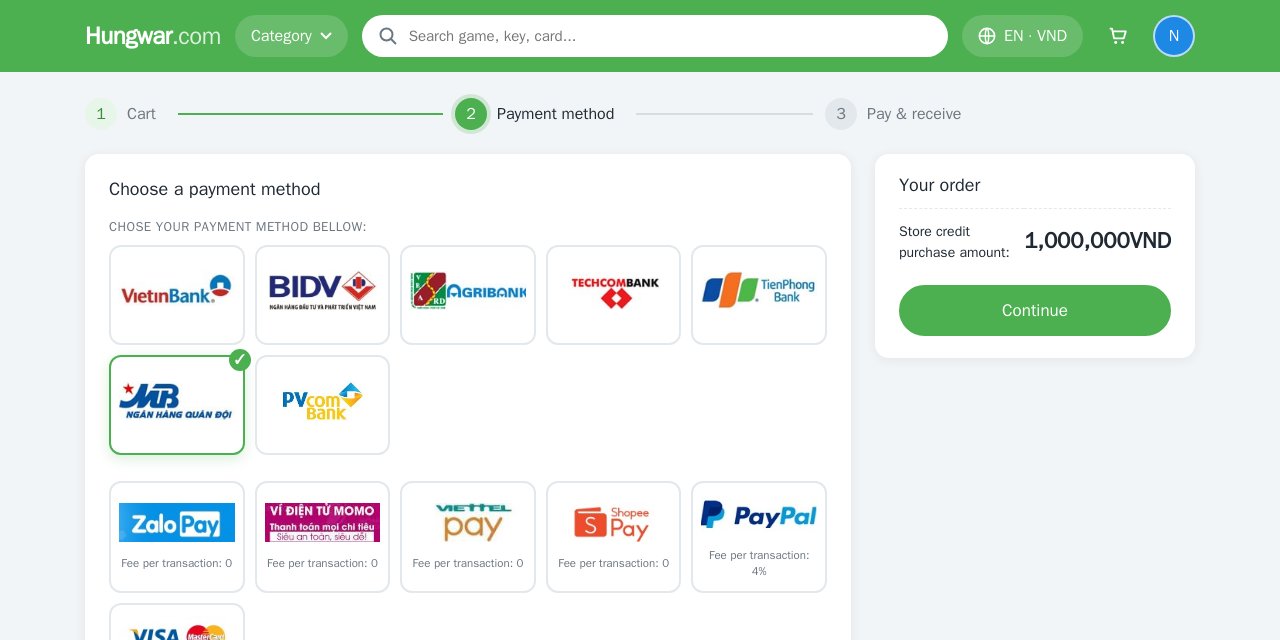
Bank transfers and local e-wallets are free. PayPal and Visa/Master cards have the extra fee shown on their tiles.
Transfer with the details shown
The payment page shows the account number, account holder, amount and the transfer reference (your top up order number). Scan the QR code with your banking/wallet app or use the Copy buttons so every detail is exact.
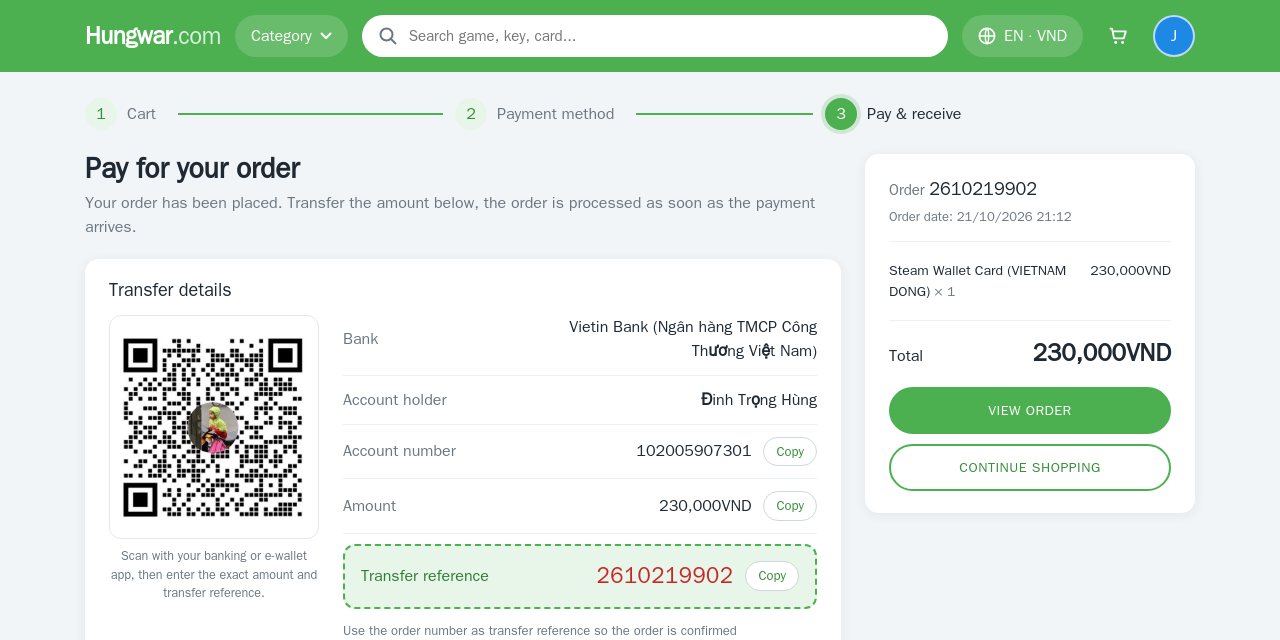
Use the exact transfer reference (order number) and amount so Hungwar can confirm it quickly. The credit is added once the payment is confirmed, usually within 5–15 minutes.
B. Pay for an order with your credit
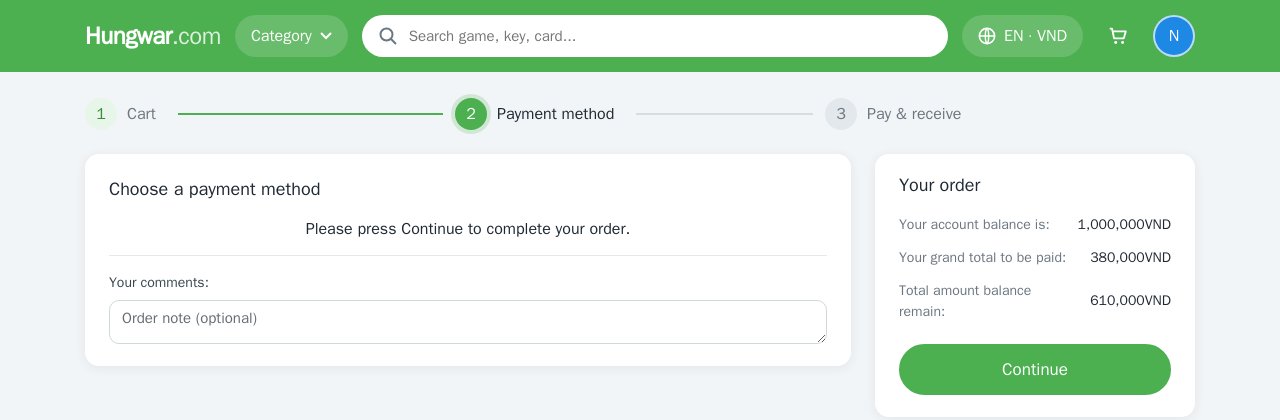
Shop as usual: choose a product, add it to the cart and check out. When your account has credit, the Payment method step uses it automatically:
Your credit covers the order
The Your order box shows your balance, the order total and what remains. Just click Continue: the order is paid from your credit and goes to processing right away, no transfer needed.
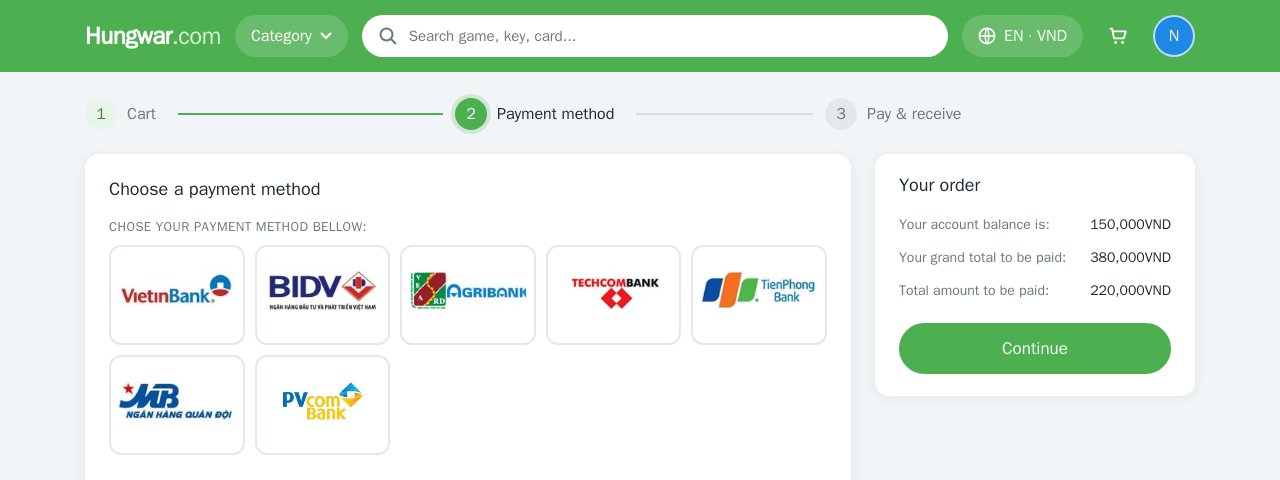
Your credit is not enough
Your whole balance goes towards the order and the rest is shown as the amount still to pay. Pick a bank or wallet for the remainder, click Continue and transfer as in step 4.
Your codes/keys appear in My Account › View orders, just like any other order.
C. Balance history
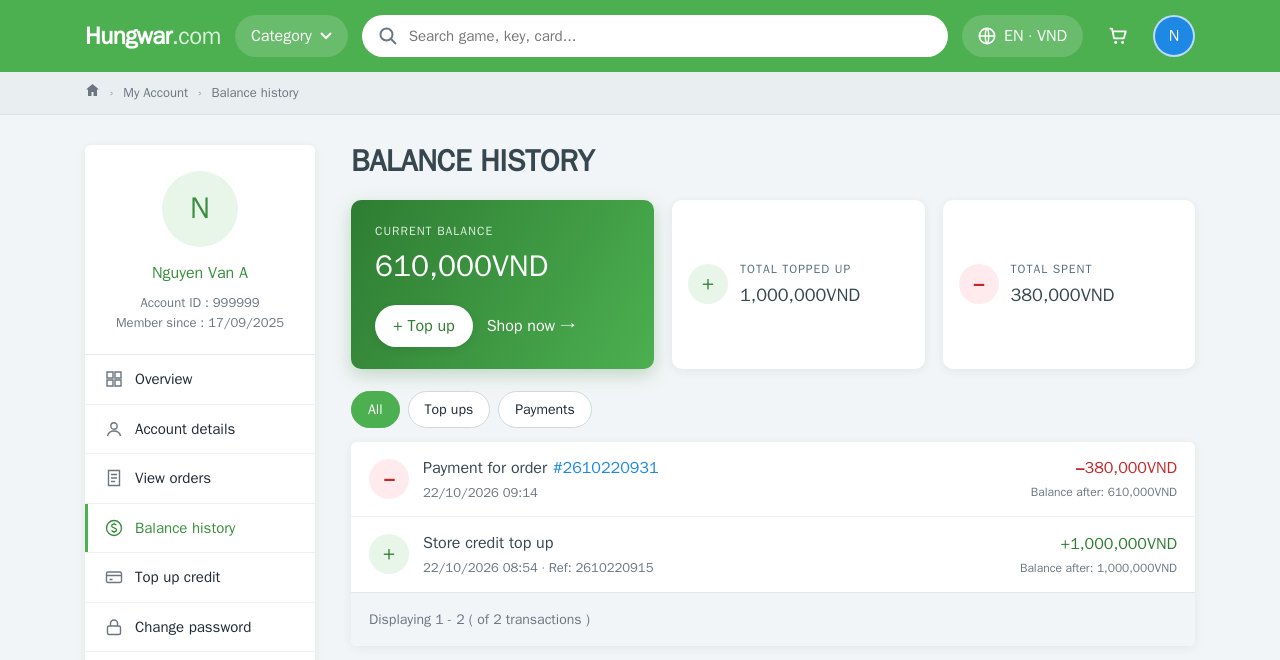
Track every top up and payment
Go to My Account › Balance history to see your current balance, total topped up, total spent and every transaction with the balance after it. Use the filter buttons to show top ups or payments only; click an order number to open the order.
FAQ
I transferred the money but my balance has not changed?
The credit is added once Hungwar confirms the payment, usually within 5–15 minutes. If it takes more than 30 minutes, send your top up order number and the transfer receipt to support.
I live outside Viet Nam, can I top up?
Top ups are currently for customers in Viet Nam only. You can still buy and pay directly with PayPal, Webmoney, Bitcoin or USDT. If you live in Viet Nam, update the country in your Account details.
Can I use a coupon together with my credit?
When your account has credit, the coupon box is not shown at checkout and the order is paid straight from your balance.
Can I withdraw or get a refund of my credit?
No. Store credit can only be spent on Hungwar and top ups are non-refundable.
Need help?
Message Hungwar on Messenger or email support@hungwar.com with your order number for the fastest help.